
From the table to the kitchen, one connected floor.
A waiter app that takes orders table-by-table, a kitchen display that fires them in real time, and a desktop sales POS that closes the bill with a TSE Z-Bericht, every part on the same live order.
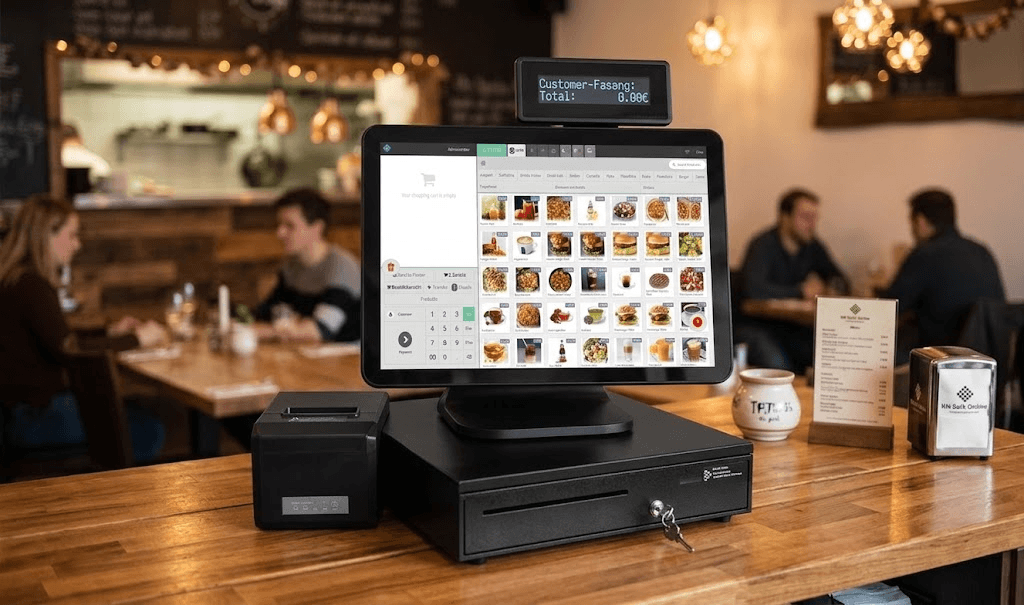
Two setups
Pick the setup that fits your restaurant
From a full-service floor on Windows to a fast takeaway counter on Android, the same connected order, sized to you.
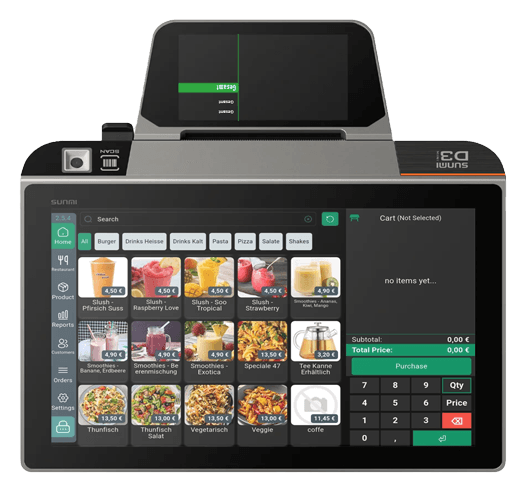
InSoft POS · Android for hospitality
The floor-aware Android till that already runs your service, not a generic keypad
This is the same Android POS that restaurants log into on day one: live table areas, open tickets, extras and combos, split bills, tips and a kitchen-ready print path, built as a real sales engine, not a thin mobile skin over a desktop till.
On a Sunmi cashier, a tablet or a handheld, the layout reflows between a product grid and a working ticket so a packed Friday night still feels like one system. Orders survive Wi-Fi drops in a local SQLite queue, TSE fiscalisation stays on the receipt, and ZVT or SumUp close the table without re-keying. What you see below is mapped from the live app, table control, split service, extras, not a brochure list copied onto every industry page.
Explore the Android POS in fullTable areas, assignment, transfer and idle listening
Split the ticket at the table, by guest, by item, by leftover
Extras, combos and line notes, menu engineering on the ticket
Tips on the ticket, beside the sale, not lost in the cash drawer
Dynamic split layout: catalog and ticket on one working screen
Offline-first sales queue with optimistic receipts
Sunmi, Bluetooth and LAN printers, plus cash drawer
TSE fiscalisation, Z-report and returns on the handheld
ZVT terminals and SumUp, card close without re-keying the total
Shift reports that already know chairs, tables and lanes
One connected system
A full-service venue on one live order
Tap any marked device to see what it does. The moving dots show where the order travels next.
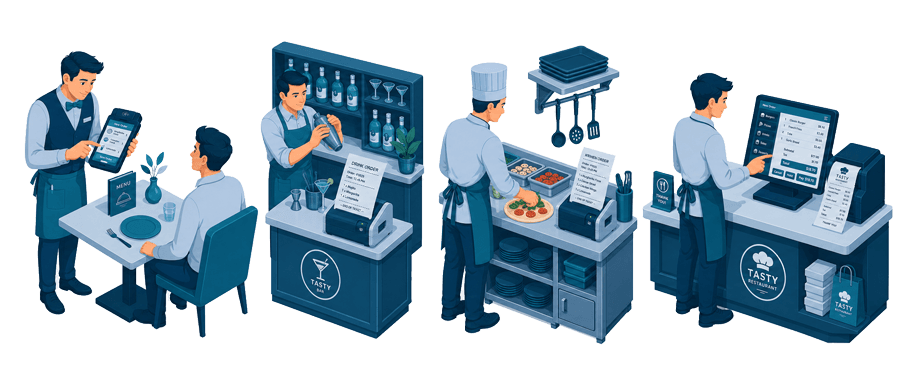
Waiter takes it at the table
Photo menu, modifiers and seat numbers in hand. The order is filed against the table before the waiter walks away.
Explore the Waiter AppThe bar gets its own ticket
Drinks route to the bar printer while food routes to the kitchen, so neither station reads the other list.
Kitchen display & printerKitchen works in parallel
Grill, cold and dessert each see only their items, with timers per ticket so the pass plates a table together.
Medium & large tierMain till and receipt
Every open table is visible at the counter: split, transfer, discount and close, all on the same running ticket.
View the Windows POSThe setup, device by device
Taking the order at the table
Tap any marked device to see what it does and where it lives in the system.
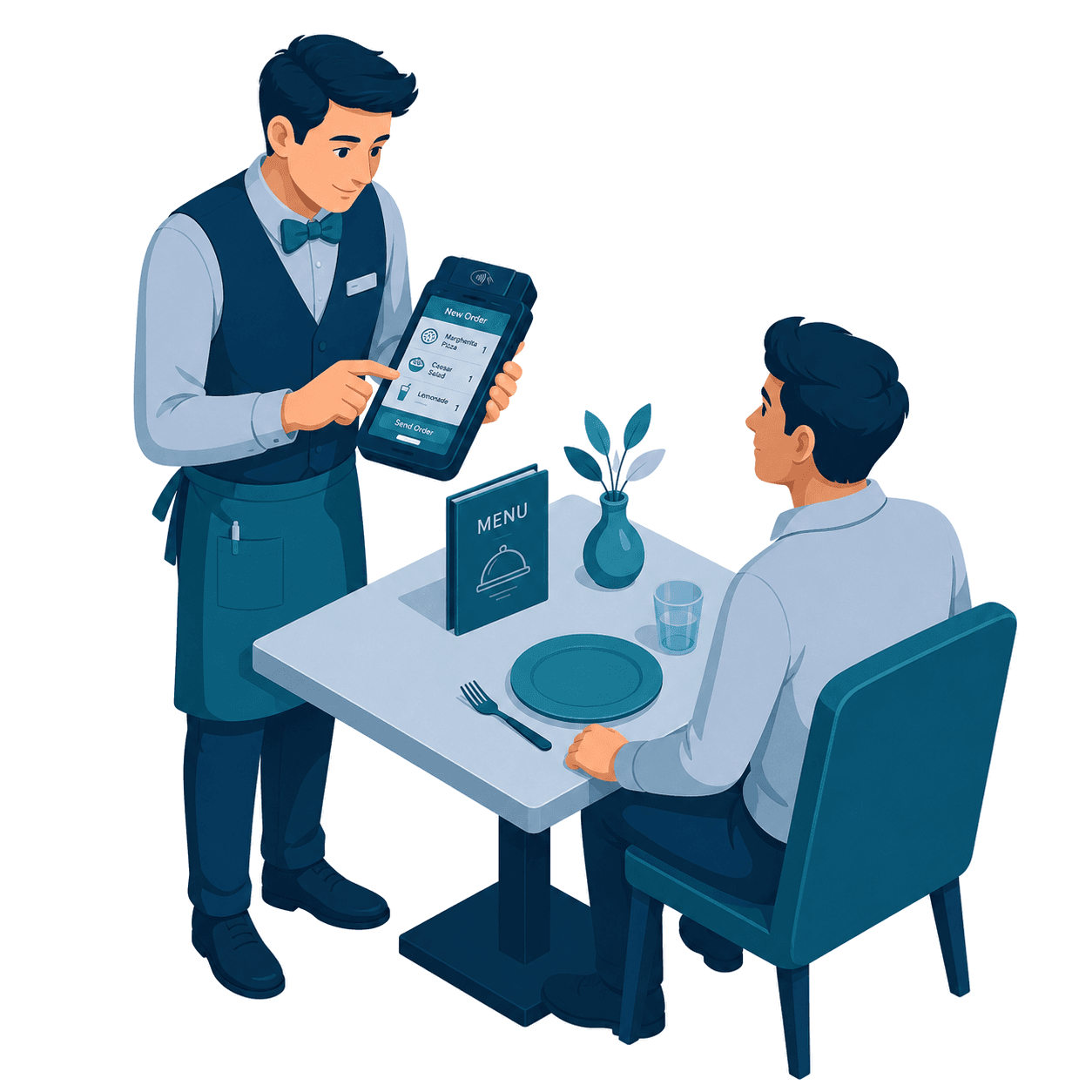
Handheld waiter POS
The waiter takes the order beside the guest: photo menu, modifiers, seat numbers, then fires it straight to the kitchen.
Explore the Waiter AppYour printed menu, mirrored
The catalog on the handheld is the same one behind your printed menu, QR menu and till, so a price change lands everywhere at once.
Product ManagementTable and seat awareness
Every ticket is bound to an area, a table and a seat, so splitting a bill or reopening a round is a tap, not a puzzle.
Restaurant solutionThe problem
Paper tickets, shouted orders, and a till that doesn't know what the kitchen is doing.
When the floor, the kitchen and the register run on separate tools, orders slip, tables wait, and the numbers never quite add up. InSoft puts them on one live order.
The stack
Four parts, one live order
Waiter app
Take the order at the table by area and seat; print a draft, fire it to the kitchen.
Kitchen KDS
Live order tickets with a prep timer and notifications, the pass always knows what's next.
Sales POS
The desktop register, bill, discount, payment, and a TSE Z-Bericht at close.
InSoft Screen
Customer menu boards from the same catalog. Learn more →
The waiter app
Everything a waiter needs, in their pocket
Pick a table, build the order from a photo menu, and send it straight to the kitchen, then reopen, edit or print the ticket any time.
Areas for inside, outside and takeaway; each table shows available or reserved.
Tap through categories and add items with real photos and prices.
Every ticket keeps its number, table and total, edit or reprint any time.
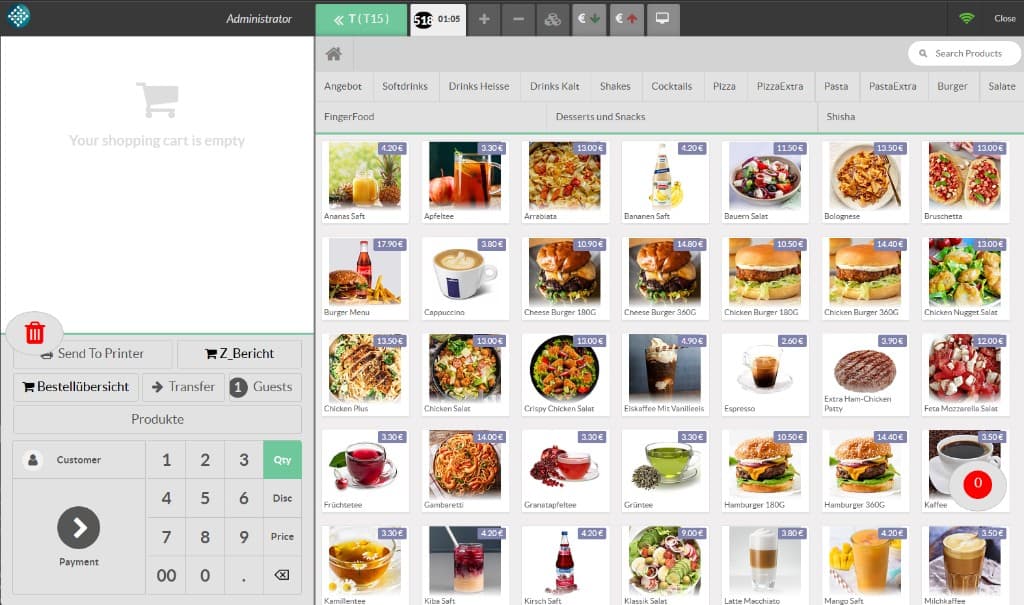
The sales POS
Close the bill on the same order the waiter opened
The desktop register carries the table's ticket straight through to payment, with a photo product grid, discounts, delivery and guest counts, and the reports you close the day with.
- Photo product grid by categoryRing up fast from pictures, not codes.
- Draft, delivery, guests & discountsHandle dine-in, takeaway and delivery from one screen.
- Z-Bericht & category overviewFiscal close-out and per-category sales, built in.
Areas & table status at a glance
Inside, outside and takeaway, each table shows available, reserved or occupied.
Live order timers
Every fired order carries a running timer, so the kitchen and floor see how long a table has waited.
Multi-waiter, multi-cashier
Each waiter runs their own tables; the till knows who opened every ticket.
Category & fiscal reports
A TSE Z-Bericht and per-category overview close the day the way German bookkeeping expects.
Need the kitchen screen & printers?
KDS screens, thermal printers and 2nd displays ship ready to pair.
Run your restaurant on one system.
Tell us about your venue, floor areas, menu and printers, and we'll configure the full restaurant stack around it.
The restaurant stack, working as one
Orders taken at the table flow to the kitchen, appear on customer screens and land in the same reports, no re-keying, no disconnected apps.