
One connected system, from "add to cart" to the customer's door.
A branded online store and mobile app for customers, a picking app for the warehouse, a driver app for delivery, and one admin dashboard that runs it all, every product, order and stock level in sync, in real time.
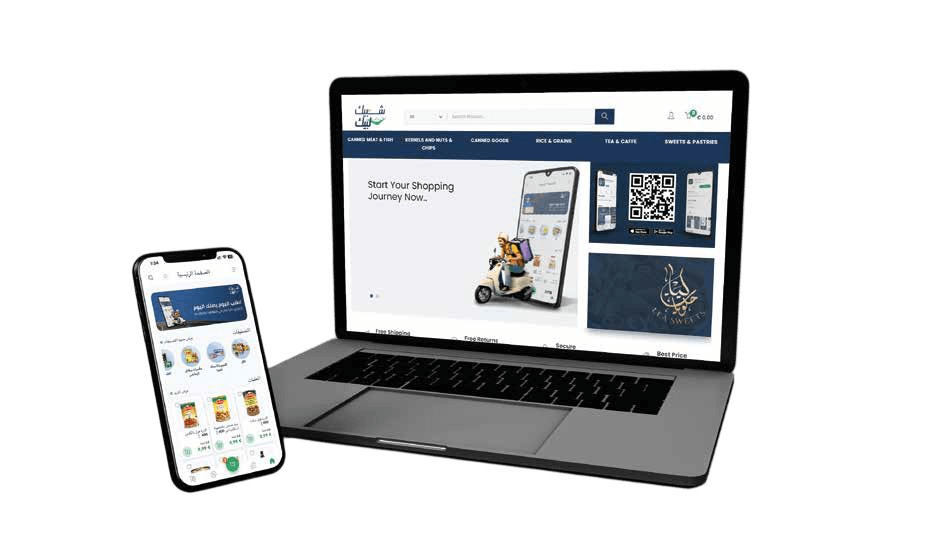
One source of truth
The ERP is the hub, five apps sync to it
Products & categories flow down to the store, app and warehouse; orders, stock and invoices flow back up. You manage it all from one place.
Online store
Branded storefront & catalog.
Customer app
iOS + Android, always in sync.
ERP & Dashboard
Products, stock, customers, suppliers, orders & sales, in one admin.
Picking app
Pick & pack by shelf location.
Driver app
Delivery windows & routes.
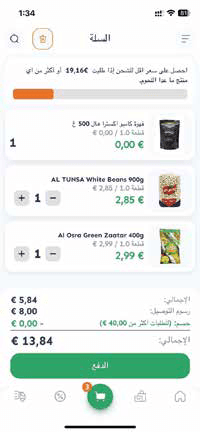
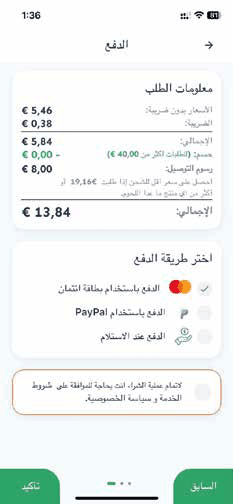
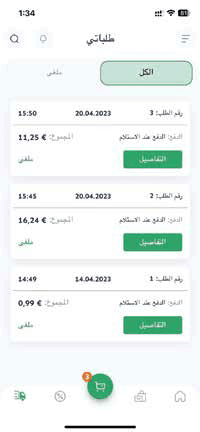
The shopper experience
A store and app your customers actually enjoy
Browse by category, fill the cart, pick a delivery window and pay, on the web or in the app, always the same catalog and prices.
- Free-shipping progress & clear totalsSubtotal, shipping and discount, right in the cart.
- Delivery window & payment at checkoutCash on delivery, Visa or PayPal, customer's choice.
- Order history, favourites & live statusReorder and track every order from the app.
Behind the order
From "add to cart" to the customer's door
Every online order is routed automatically to the warehouse, to specialty prep teams, and onto a driver's route, no re-keying, no lost orders.
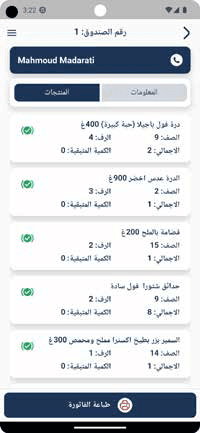
Warehouse picking app
Orders arrive as a box, each line tagged with shelf and quantity. Staff accept, pick and pack, then print the invoice. Stocktaking and barcode lookup live in the same app.
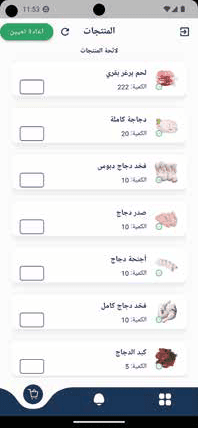
Prep-team routing
Add role-based apps for teams who prepare specific items, like a butcher counter. Each app shows only its relevant orders, kept separate from general warehouse fulfillment.
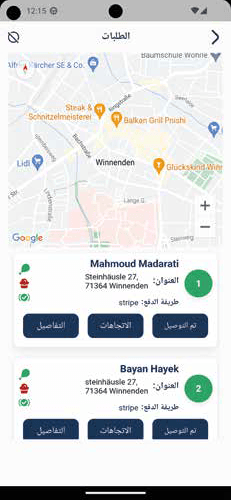
Delivery driver app
The route is sorted by distance between the warehouse and each customer, with alerts for affiliated shops to visit first. Mark delivered and both warehouse and customer are notified.
The back office
Run the whole shop from one dashboard
Products, customers, suppliers and brands at a glance; sales reports over any date range; and the last orders as they land, with a one-click language and theme switch.
- Catalog & stock in one placePublish products to the store and app in a few clicks.
- Sales reports over any date rangeTotals, averages and trends, exportable.
- Self-editable, no code neededYour team updates products, prices and offers.
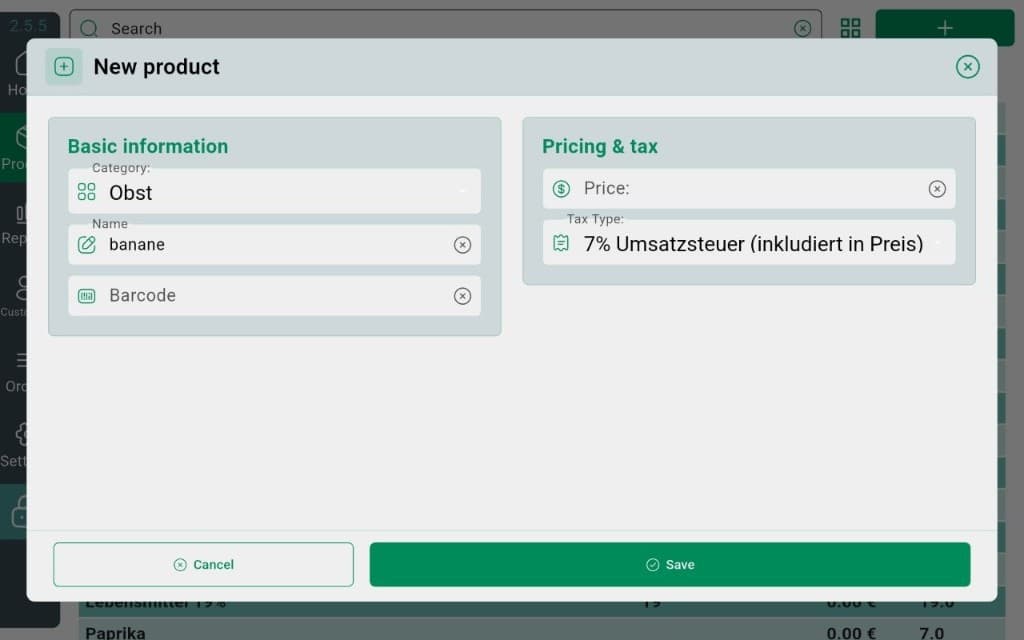
InSoft POS · Android for click & collect
The warehouse-door till: scan pickups, honor promotions, stay fiscal when the shop is the aisle
An online order still has to become a legal sale at the door. The Android POS is the device that scans the pickup, applies the same promotion engine the catalog already knows, shows the cart on a customer display, and writes a TSE receipt, even if the courier Wi-Fi in the back room is a rumor.
Barcode search pulls the SKU the storefront sold. Offline SQLite keeps the ticket if the ERP hiccups, then the pending-order sync drains the queue. Sunmi printers and a cash drawer cover pay-on-collection. ZVT and SumUp take the card without bouncing the guest back to a browser. This is not a second ecommerce stack; it is the Android till standing in for a staffed click-and-collect lane, with reports that land in the same Z-close as every other InSoft counter.
Explore the Android POS in fullRetail scanning on the Android till is more than a camera pointed at an EAN. Scale barcodes carry a configurable prefix and a decimal weight embedded in the code, so a produce or cheese label from the counter scale becomes a priced line without the cashier guessing grams. Hardware scanners and the device camera both feed the same lookup. Gold and supermarket pages share this because both live on coded, weighed or ticketed items, not because we cloned a jewelry CAD module that does not exist.
- EAN/UPC lookup from camera or hardware scanner into the live cart.
- Scale-barcode prefix and decimal configuration so weighted labels decode into real mass and price.
- Fails loudly on unknown codes instead of silently ringing a wrong SKU at lane speed.
- The same scan path serves supermarket belts, click-and-collect and a gold counter’s tagged pieces.
Need warehouse hardware?
Handheld terminals with barcode scanners for your picking team.
Ready to connect your store, warehouse and delivery?
Tell us about your catalog and delivery area, and we'll configure the store, app, warehouse and driver apps around it.
Store, warehouse and delivery, one order, end to end
An order placed on the web or app is routed automatically to the warehouse picking app and, when you sell in person, the same ERP powers your POS and reports too.