
Your POS data. Anywhere. In minutes.
The official mobile companion for InSoft POS. Generate fiscal-ready reports, track cash expenses, reconcile TSE totals, and share professional PDFs, from your phone or tablet, connected to your live POS data.
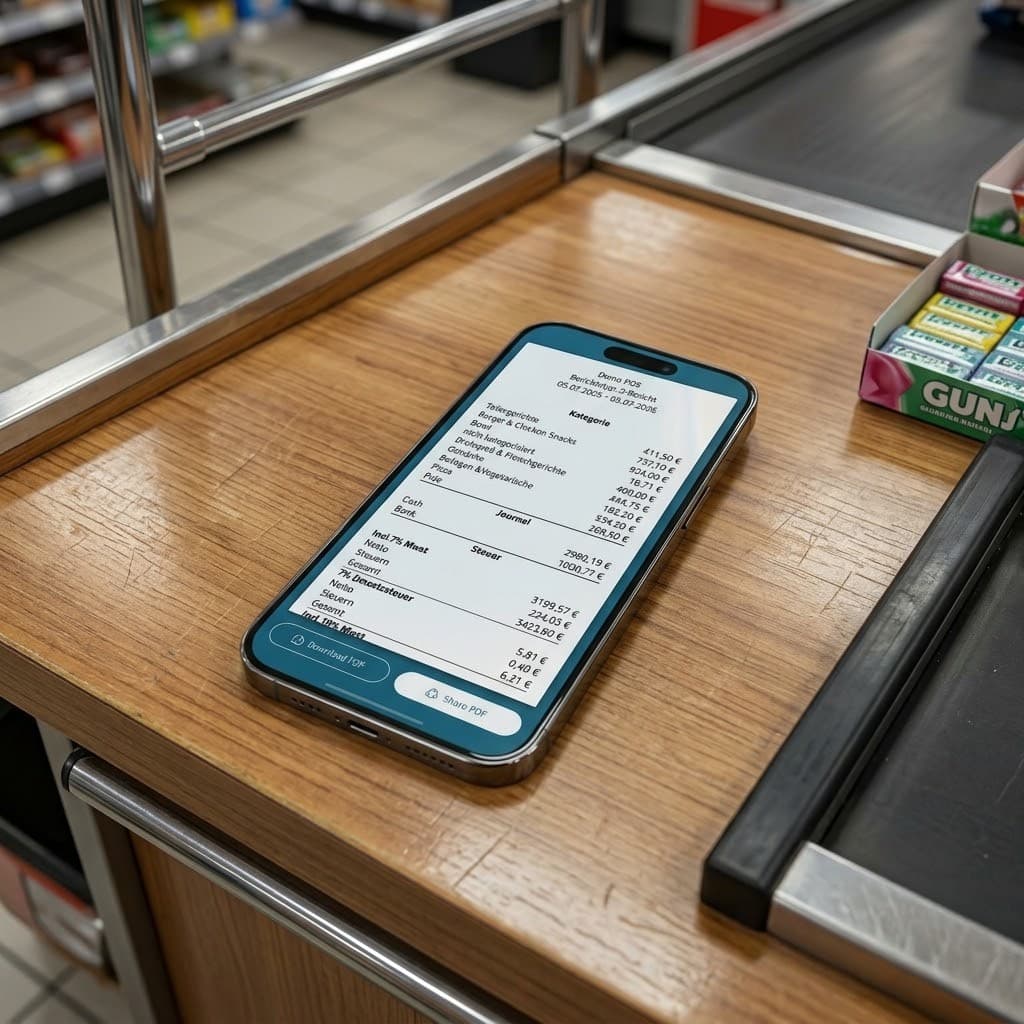
The mobile companion
Understand what happened today, from the device you already carry
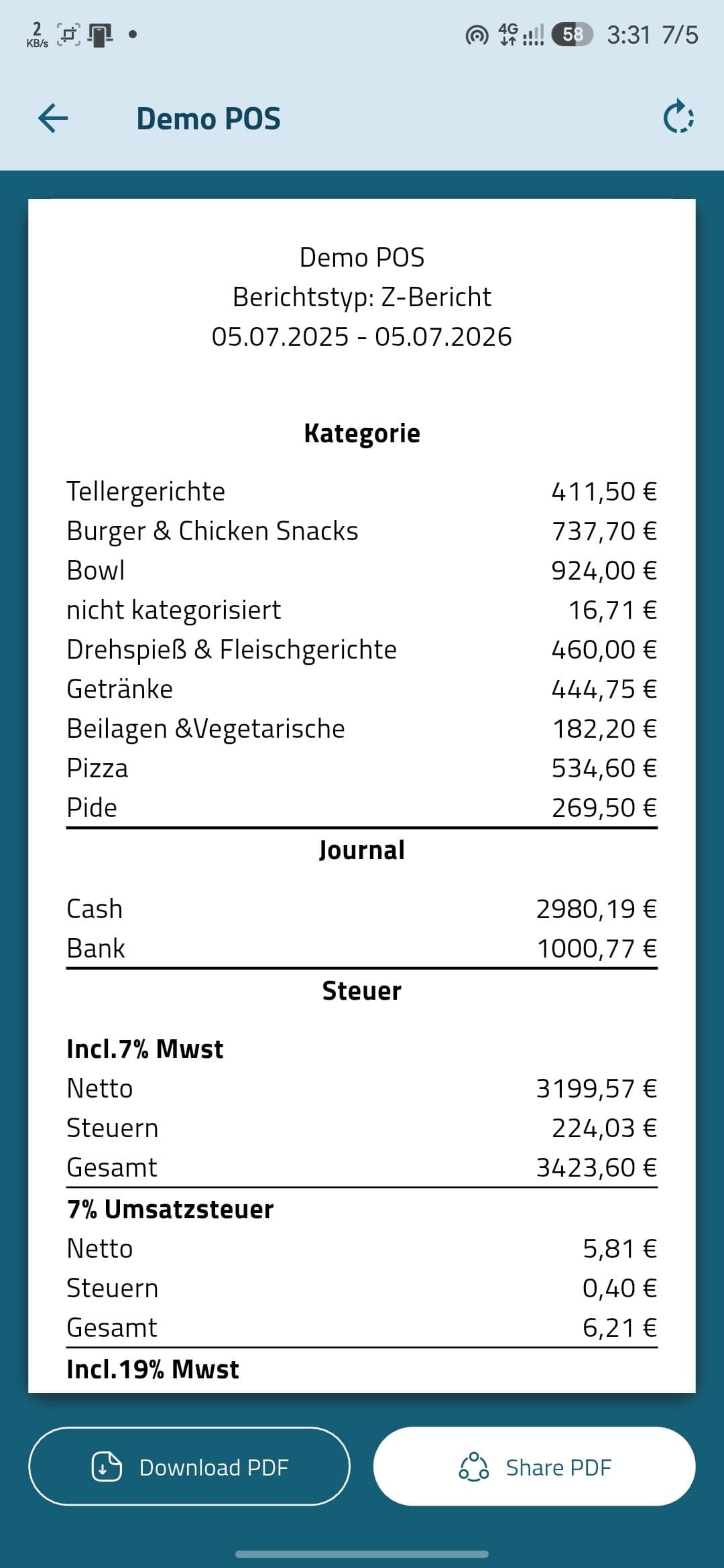
Reports connects directly to your InSoft cloud POS backend, no duplicate data entry, no waiting until you’re back at the desk. Pull a Z-Bericht, check cash vs. bank, log an expense, or fix a TSE cash total while you’re still on site.
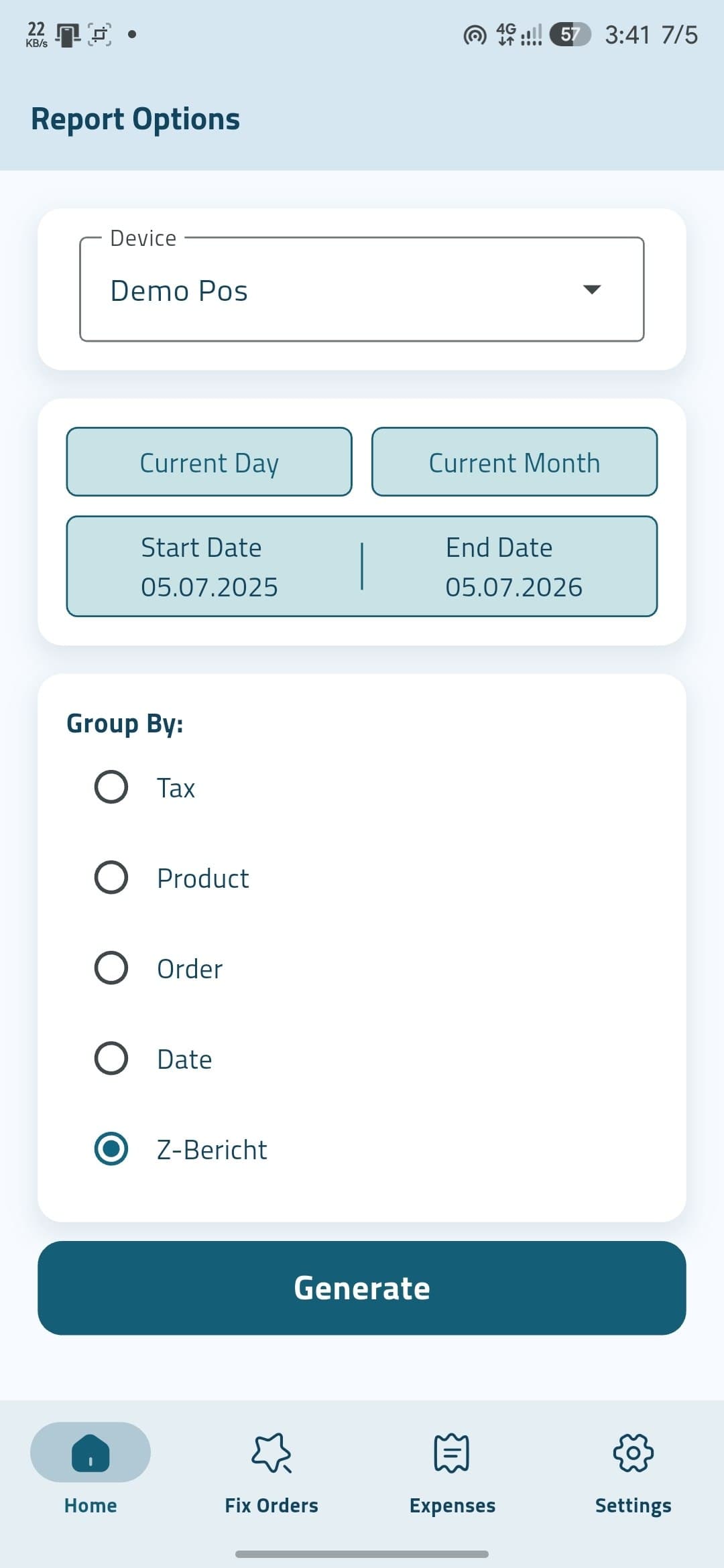
Reporting hub
Build the view you need, then open a full report
Pick a device, choose Today, This month or a custom range, then group your data six ways. The Report Options screen is the heart of the app, one tap on Generate opens a full-screen report with totals and export tools.
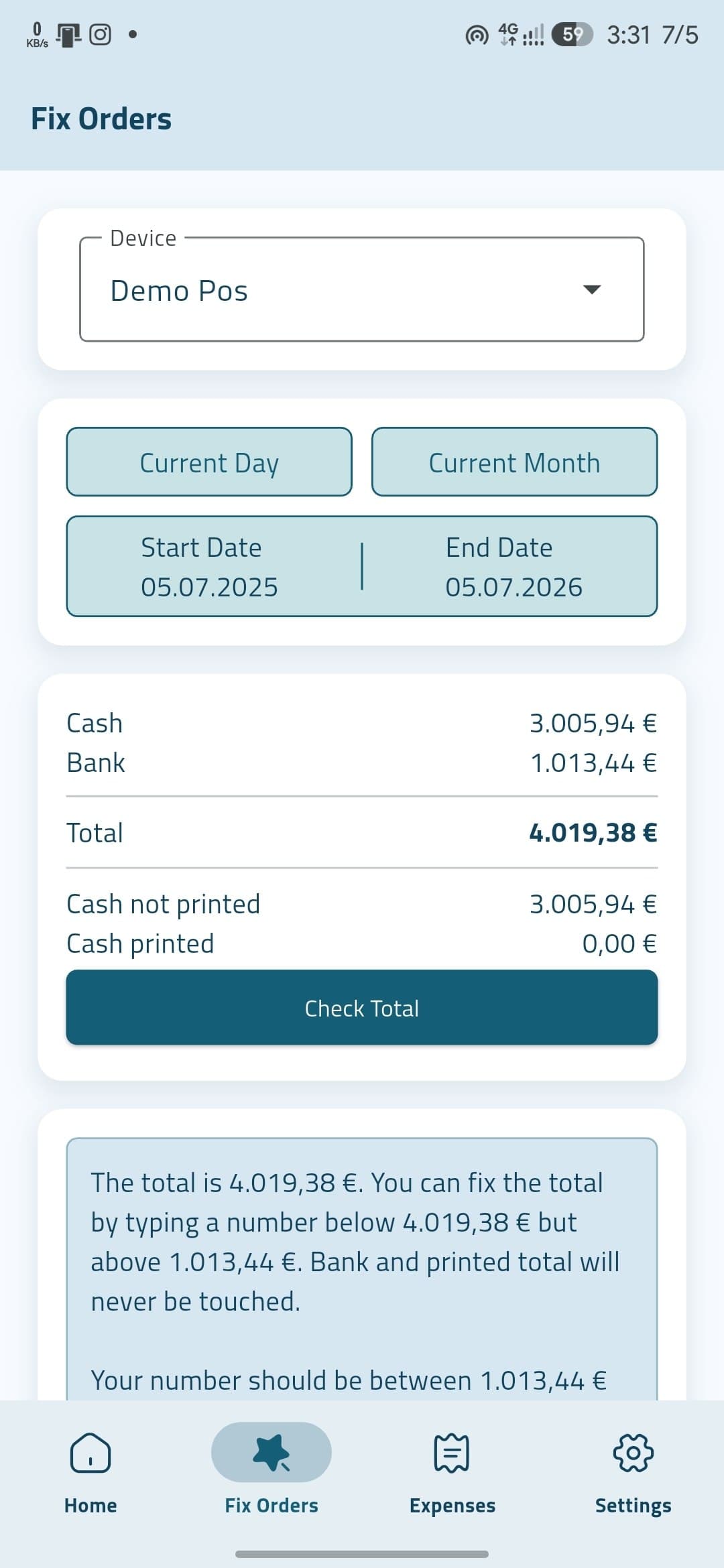
Fix Orders · TSE
Reconcile cash totals, without touching bank or printed amounts
When the cash total doesn’t match at close, Fix Orders shows you cash, bank, printed and cash-not-printed before you act. Enter a target within the allowed range and confirm, only unprinted cash orders are ever in scope.
- Bank totals are never modifiedCard takings stay exactly as they are.
- Printed cash is protectedOnly the unprinted cash band is eligible.
- Guided, with clear warningsValidation blocks impossible numbers before any change.
More than reports
Expenses, PDFs and a team-wide interface
Expenses & petty cash
Log money leaving the till in seconds, per device, with custom expense types. It lines up with the expenses section of your Z-Bericht, so closing reports and real cash movements stay together.
PDF export & share
Turn any report into a clean A4 PDF built from structured data, device header, German fiscal labels, and net / tax / gross footers. Download on Android or share to email, WhatsApp and cloud on both platforms.
EN · DE · AR
The interface speaks English, German and Arabic, including RTL layout. Fiscal report labels always follow German conventions, so documents stay consistent for compliance regardless of UI language.
How it works
Sign in, pick a terminal, report
Sign in securely
Log in with your InSoft customer email. Subscription status is verified automatically.
Choose your terminal
Select which POS device to report on, pulled straight from your account.
Set your period
Pick Today, This month, or a custom range with the scroll date picker.
Generate & act
Generate reports, Check Total for TSE, or add expenses, then export a PDF.
InSoft Reports is a companion app, not a standalone cash register. It requires an active InSoft POS subscription and login, and reads data live from your subscribed POS environment.
Ready to see your POS numbers anywhere?
If you already use InSoft POS, ask your representative about enabling InSoft Reports for your account, and generate your first Z-Bericht in under a minute.
Reporting reads straight from your live POS
InSoft Reports isn't a separate ledger, it queries the same data your tills write, so a Z-Bericht on your phone matches the counter to the cent.