
The tablet POS that runs the floor, and keeps you TSE-compliant.
A full Android point-of-sale for restaurants and retail: table & takeaway orders, fiscal Z-Berichte and TSE reporting, receipt printing, plus one-step label printing, scheduled promotions, direct scale integration and in-store screens you control from your phone. German, English or Arabic.
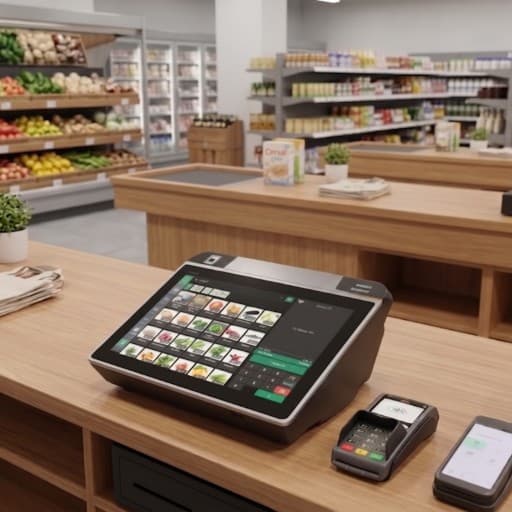
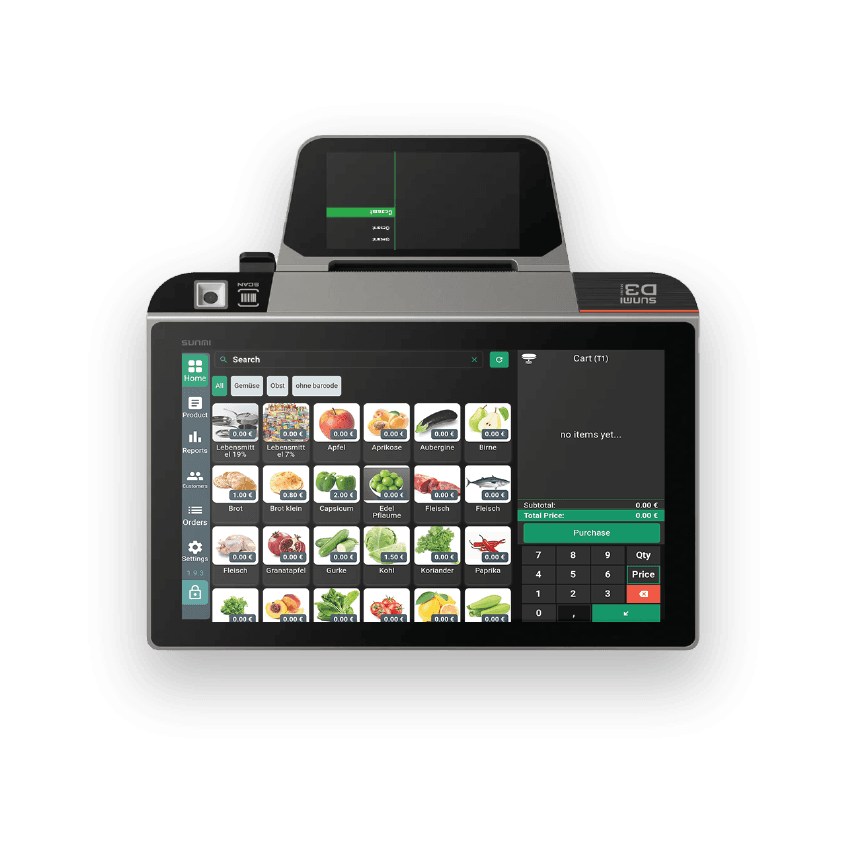
Everything on one screen
Take orders, close tickets, run retail, stay compliant
The Android POS handles the full service cycle, from an open table to a signed fiscal receipt, and the retail extras busy counters need: labels, promotions, scales and screens.
Table & takeaway orders
Open a ticket per table, add items with quantities, and see live subtotal, tax and total. A dedicated restaurant mode keeps the floor organised.
Live order log
Every ticket in one list, number, Draft or Paid status, date, total and payment method, so nothing slips between shifts.
TSE reports & Z-Bericht
Generate a Z-report or TSE info report for any day or month, grouped by tax, product, order, date or table, with a clean 19% / 7% MwSt breakdown.
Receipt & printer
Print fiscal receipts and reports to any connected printer, with adjustable receipt width and full store details on every ticket.
Products, menu & cart
Manage your catalog and menu, organise the cart, and configure checkout & payment, all from the same Settings hub.
One-step price-label printing
Print a neatly formatted label, name, barcode and price, without tying up the checkout. Ideal for fast, accurate shelf prep.
Scheduled promotions engine
Create offers for specific days, a week or a whole season; link them to categories; pre-schedule them to run automatically.
Direct electronic-scale integration
The cashier talks directly to the scale to price weight-based products, no manual entry, no mismatches.
In-store TV screens, controlled from your phone
Show featured products and offers on any screen. From your phone, pick items manually or switch to offers-only, and play full-screen promo videos and images.
Fast support, built in
Send issues and notes directly from the system, with live status updates, help without leaving the till.
Multi online payment. SumUp & ZVT
Take card payments at the till with SumUp and ZVT protocol terminals wired into the sale, the total is sent, the receipt prints itself.
Fully customizable till layout
Shape the working environment your way: many product-card styles, grid and tile options, and a cart section with extensive style controls so the screen matches how your team works.
Hardware & displays, out of the box
Printers, cash drawers, scanners and customer displays, configured to your setup, with built-in support from the app.
Shop hardwareThe setup, device by device
The reception counter, chair by chair
Tap any marked device to see what it does and where it lives in the system.
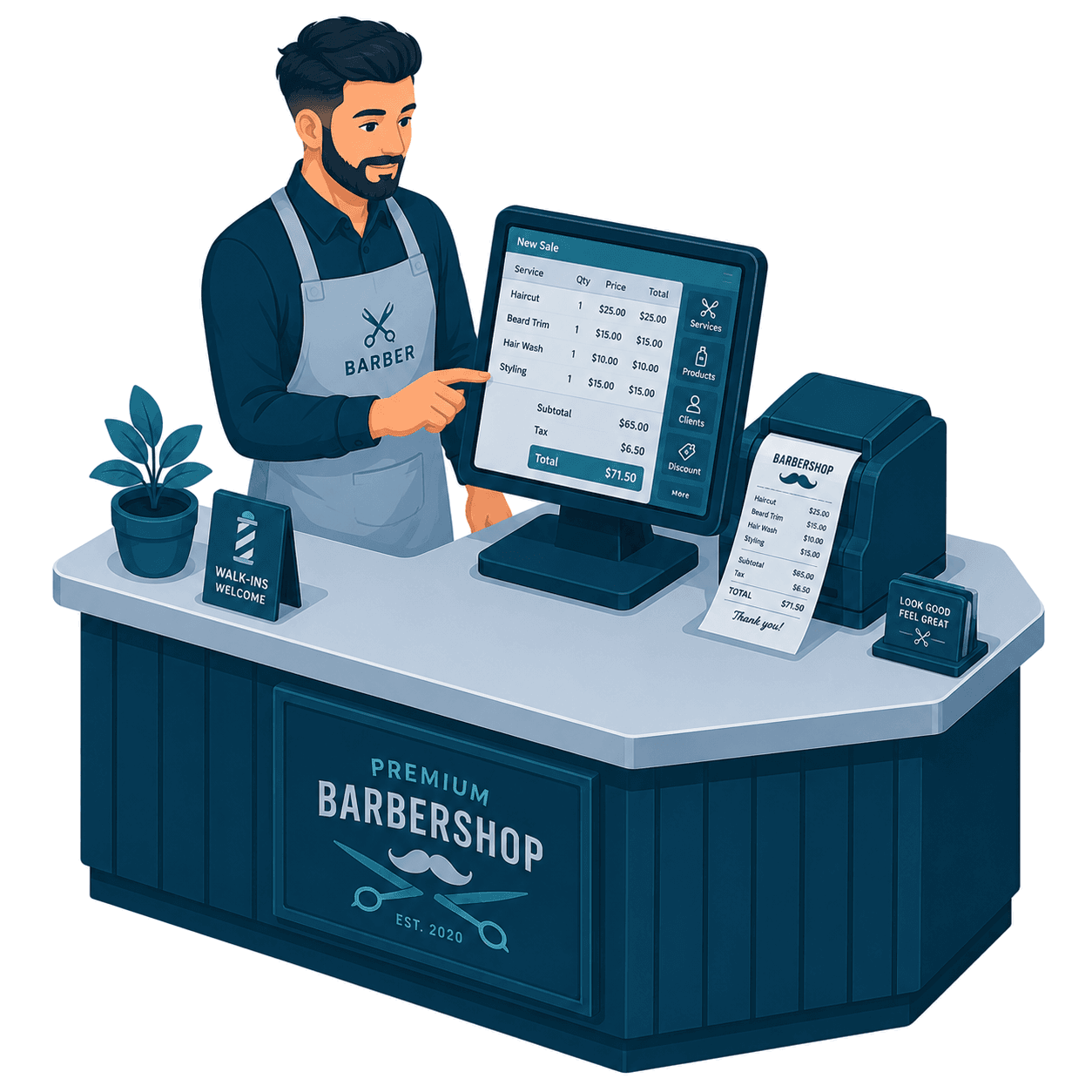
Reception till
A ticket per chair, each with its own running total. Switch chairs mid-cut without losing a sale.
Barber solutionService catalog
Cut, beard, colour and extras with photos and set prices, grouped so the busiest services are one tap away.
Windows tierReceipt and tips
Tips are added per chair and kept off the sale total, with their own report at daily close.
InSoft POS · AndroidCard terminal
Card, cash and split payments close cleanly into the same TSE Z-Bericht.
Hardware & add-ons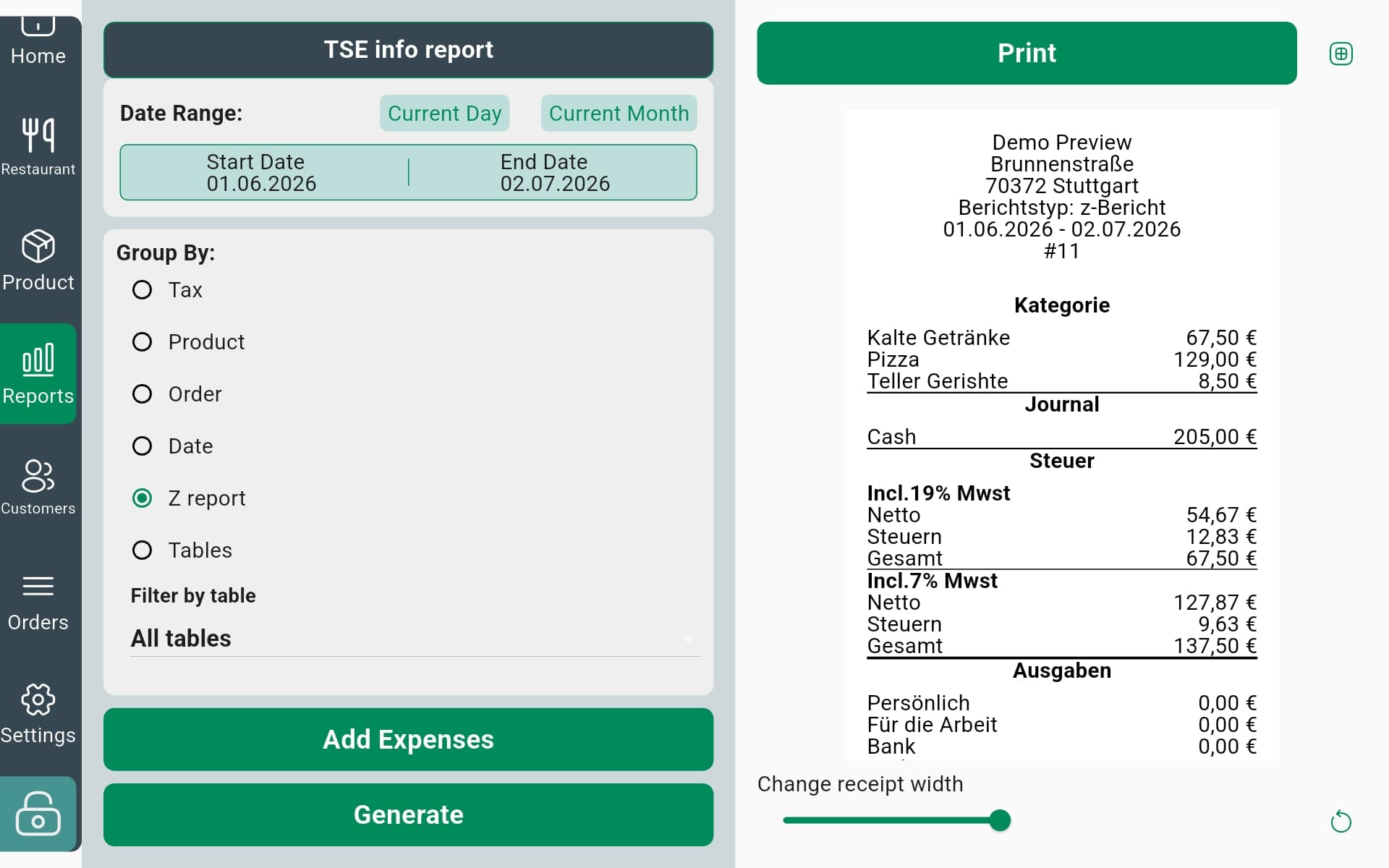
Fiscal reporting
Close the day with a report you can hand to the Finanzamt
Pick a day or a month, choose how to group it, and generate a signed Z-Bericht or TSE info report, categories, tax bands and expenses laid out exactly as German bookkeeping expects.
- Group by tax, product, order, date, Z-report or tableSlice the same day whichever way you need.
- Clean 19% & 7% MwSt breakdownNetto, Steuer and Gesamt per tax band.
- Log expenses & adjust receipt widthAdd outgoings and size the printout to your roll.
Promotions engine
Set it once, run it on schedule
Build offers tied to a day, a week or a season and link them to product categories, like "offers on vegetables", then let them run with no manual intervention.
Screen control
Your in-store screens, run from your phone
Choose which products and offers display on any in-store screen, manually, or switch to offers-only mode, and add videos and images for full-screen promotions.
Inside the app
A quick tour of the screens
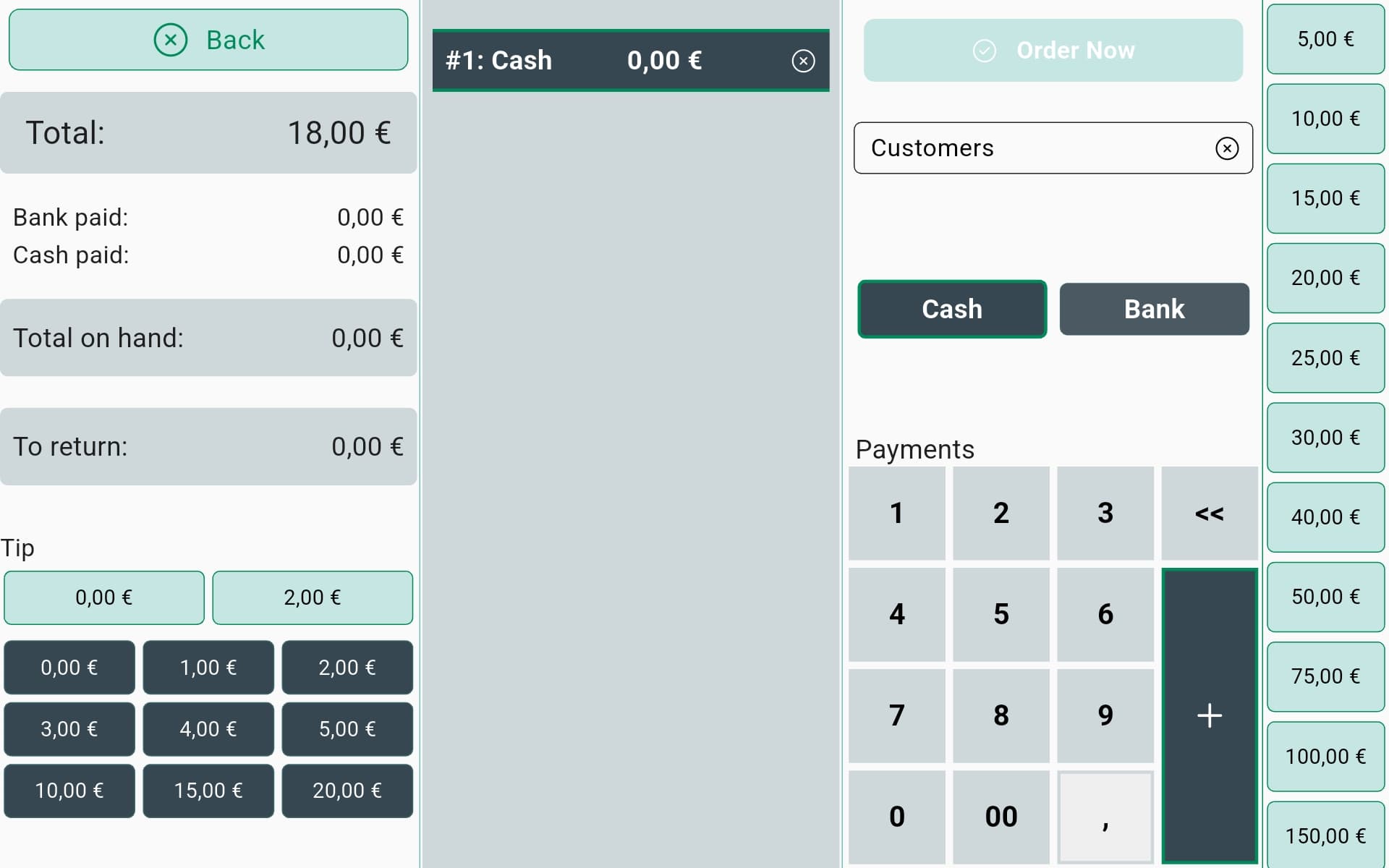
Payment & tender
Split cash and bank in one checkout, add a tip, and settle with quick-cash amounts and automatic change.
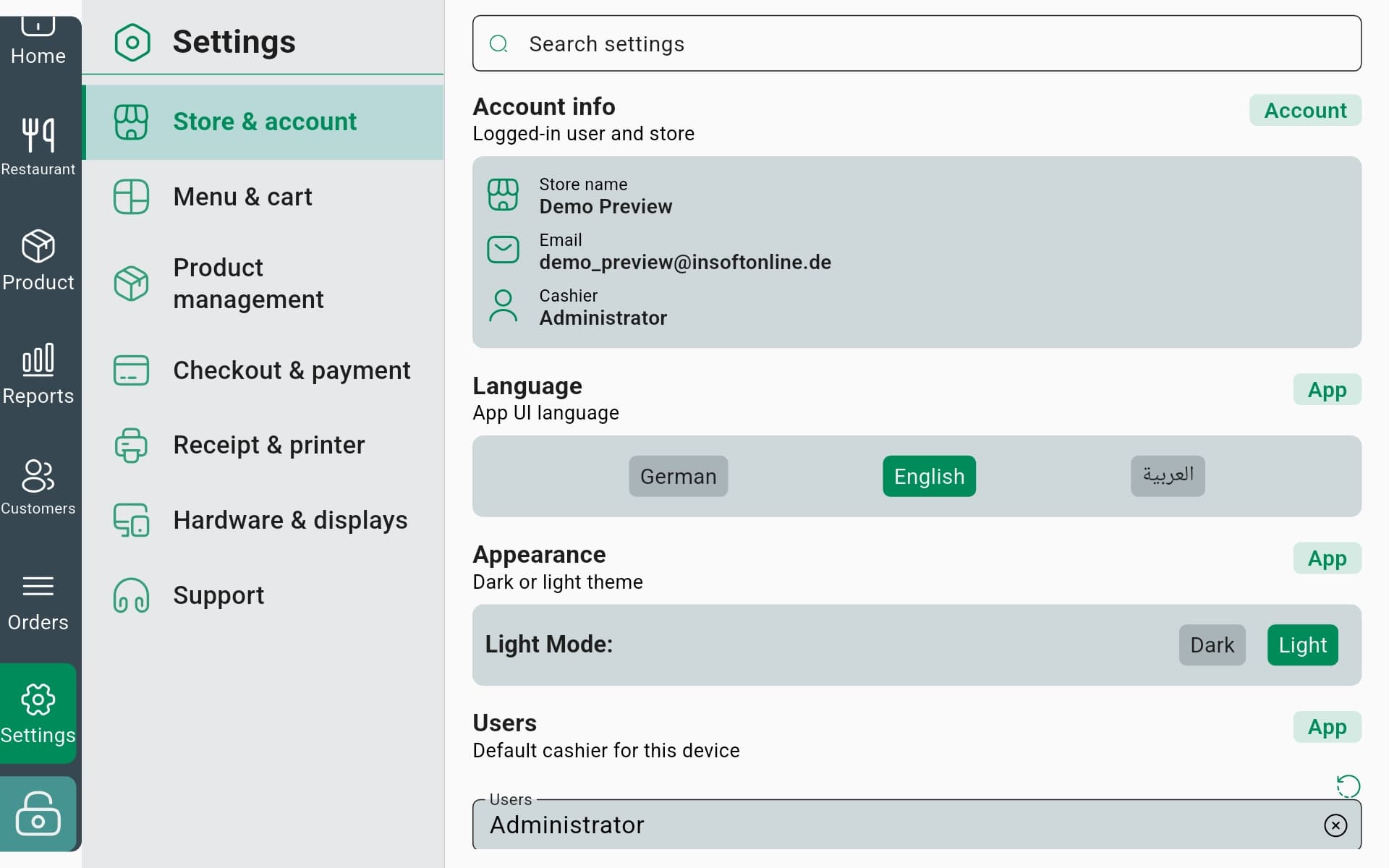
Store & account
Store details, language (DE · EN · AR), light or dark theme and the default cashier for each device.
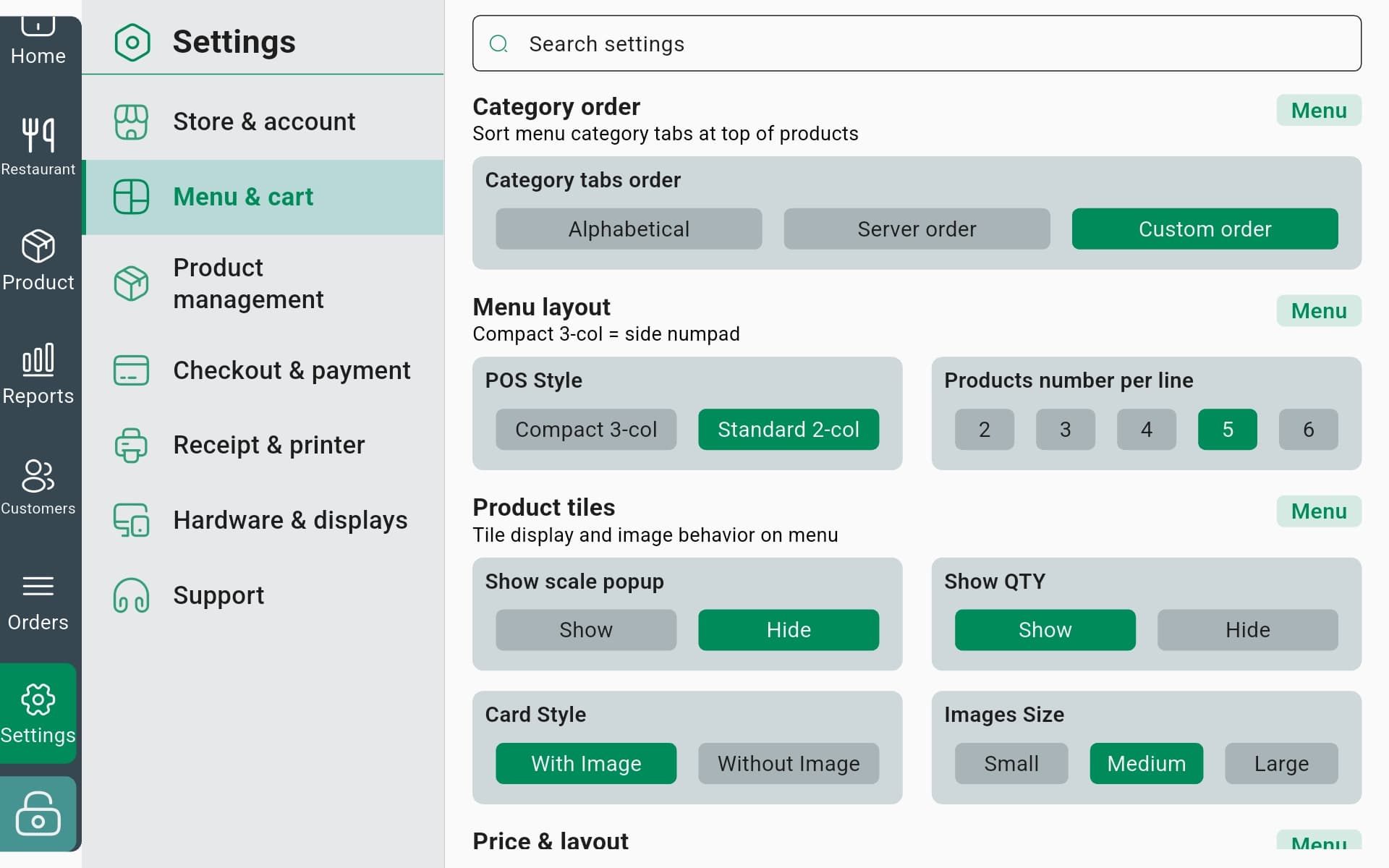
Menu & cart layout
Tune category order, grid columns, tile style and images so the menu fits your counter and your staff.
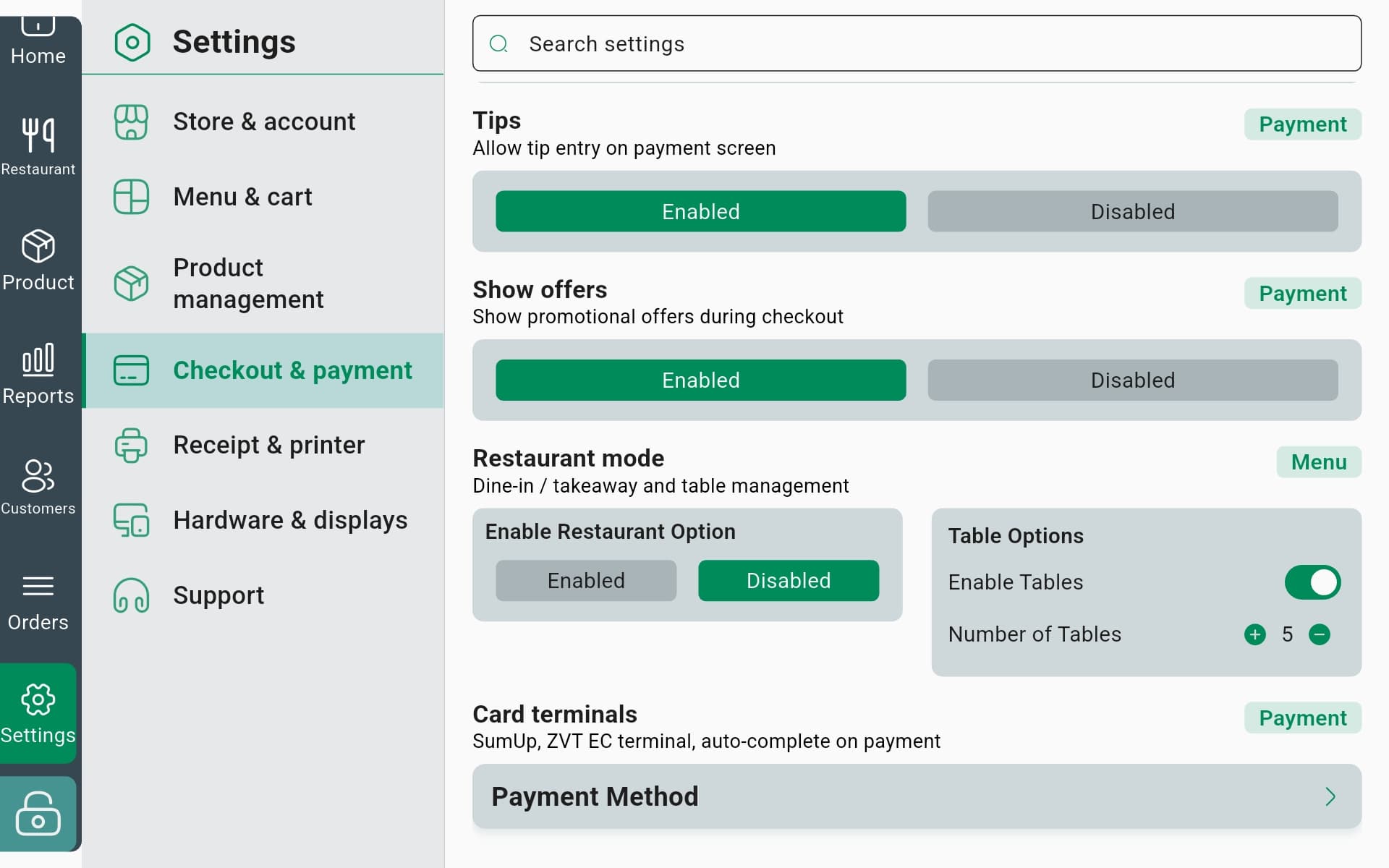
Checkout & payment
Toggle tips and offers, switch on restaurant mode with tables, and connect SumUp or ZVT card terminals.
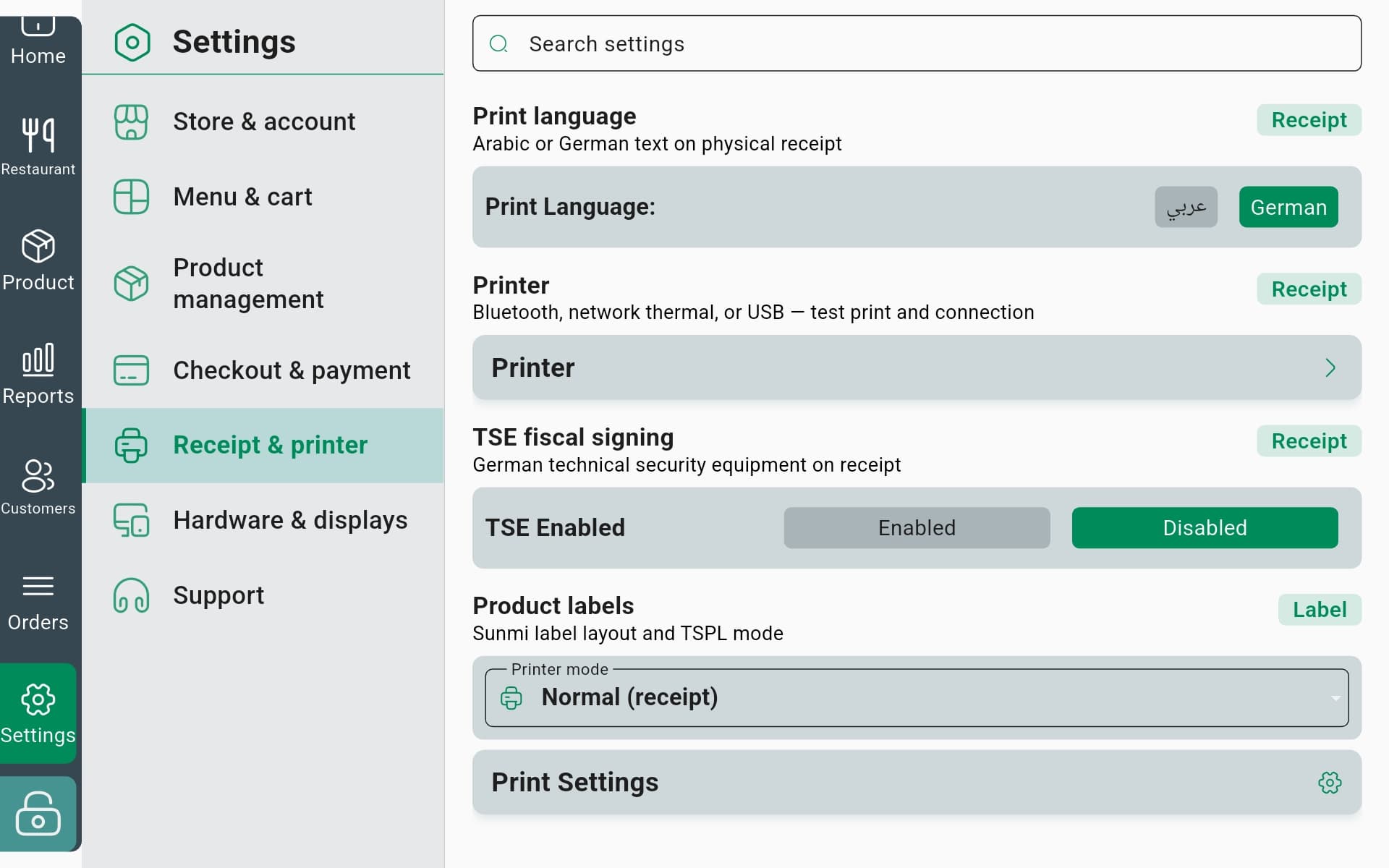
Receipt & printer
Set the print language, connect Bluetooth / network / USB printers, enable TSE fiscal signing and pick label modes.
Put the whole till on one tablet.
Tell us about your restaurant or shop and we'll set up the Android POS around your menu, tax rates, printers, scales, screens and TSE.
The till is one piece of a bigger system
The POS App shares its catalog, customers and sales with the rest of InSoft, so labels, reports and offline sync all speak to the same data.