Skip to content
InSoftOnline

The corner-shop till that fits in one hand.

An Android cashier for minimarkets and corner shops — scan any barcode, weigh produce on a connected scale, print shelf labels from the same device, and take card payments. No PC, no counter full of boxes.

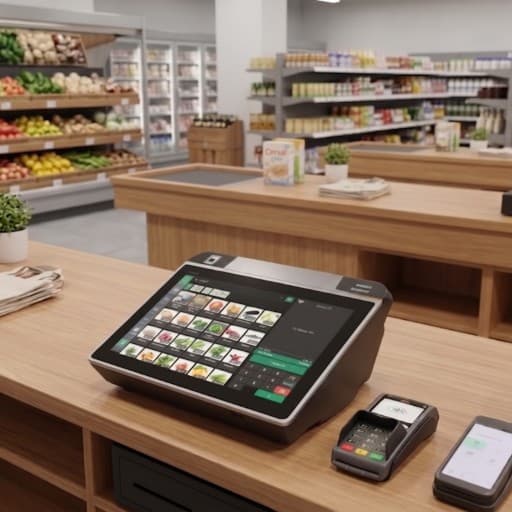
Android supermarket till on a corner-shop counter with a photo product grid, card terminal and handheld beside it
Any barcode
Fixed & weighed labels
Scale ready
Counter + external
Label handheld
Price on the spot
Card payments
Terminal integrated

The setup, device by device

One system that help you work faster

Tap any marked device to see what it does and where it lives in the system.

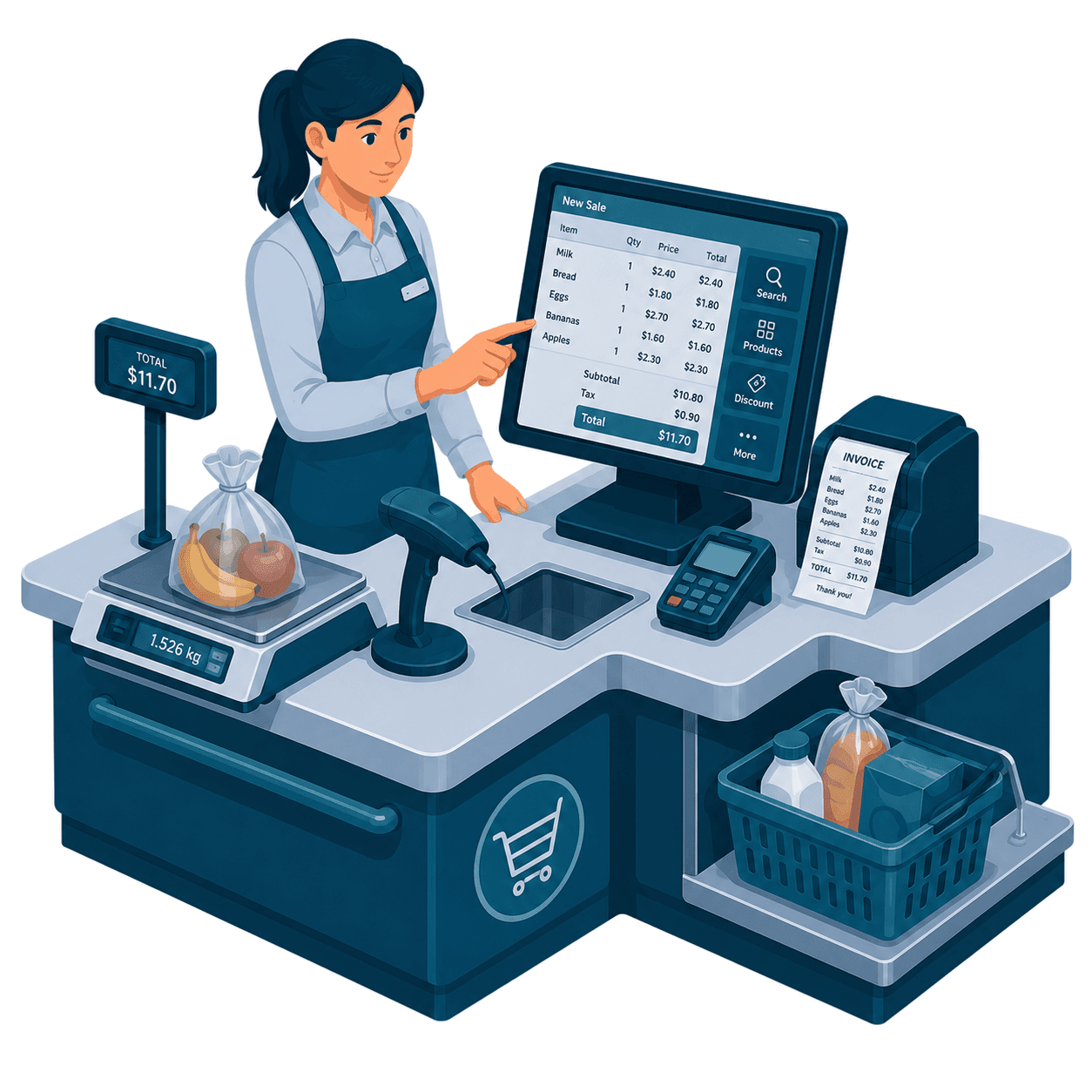
InSoft supermarket POS checkout: Windows till with produce scale, barcode scanner, card terminal and customer display
Android supermarket cashier with a photo product grid on the counter

InSoft POS · Android for retail

Scan, weigh and label at aisle speed — the Android supermarket till from the live Android app

Retail on this Android POS is a barcode-first machine: camera or hardware scan, scale barcodes with a configurable prefix and decimal weight, USB HID scale popups, weighed products, Sunmi TSPL shelf labels with Pfand, and an HDMI customer display that mirrors the cart as it grows.

Corner shops and mini-markets run the same codebase as the restaurant till, with the supermarket login unlocking a dense product grid, rapid barcode entry and label printing instead of a floor plan. Prices and catalog updates can be pushed remotely. When the network drops, the pending-order queue still prints an optimistic receipt and syncs when the back office is reachable again — the same offline spine every InSoft Android till uses, tuned here for scan-weigh-bag cadence.

Explore the Android POS in full

Retail scanning on the Android till is more than a camera pointed at an EAN. Scale barcodes carry a configurable prefix and a decimal weight embedded in the code, so a produce or cheese label from the counter scale becomes a priced line without the cashier guessing grams. Hardware scanners and the device camera both feed the same lookup. Gold and supermarket pages share this because both live on coded, weighed or ticketed items — not because we cloned a jewelry CAD module that does not exist.

  • EAN/UPC lookup from camera or hardware scanner into the live cart.
  • Scale-barcode prefix and decimal configuration so weighted labels decode into real mass and price.
  • Fails loudly on unknown codes instead of silently ringing a wrong SKU at lane speed.
  • The same scan path serves supermarket belts, click-and-collect and a gold counter’s tagged pieces.

What you get

Open each step to see it in detail

Everything a small store needs to sell, weigh, label and get paid, on one handheld device.

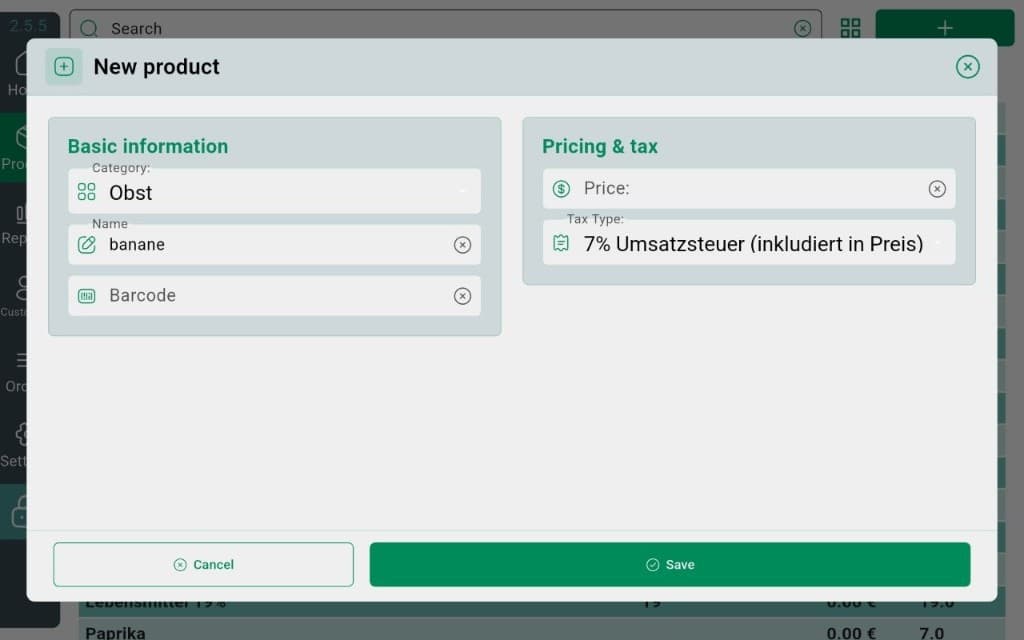
InSoft Android POS new product dialog: category Obst, name banane, barcode, price and 7% VAT

Add products & barcodes fast

Build your catalog on the device — name, price, barcode, done.

  • Create a product and assign its barcode in one screen
  • Scan an existing barcode to look it up instantly
  • Group items into categories for a tidy sell screen
  • Everything syncs to Reports and the label handheld

Add products & barcodes fast

Build your catalog on the device — name, price, barcode, done.

Build your catalog on the device — name, price, barcode, done.

  • Create a product and assign its barcode in one screen
  • Scan an existing barcode to look it up instantly
  • Group items into categories for a tidy sell screen
  • Everything syncs to Reports and the label handheld

Weigh produce & deli items

A connected scale drops the weighed price straight into the cart.

A connected scale drops the weighed price straight into the cart.

  • Counter scale for produce at the till
  • External meat & vegetable scale supported
  • Weighed price flows into the open sale automatically
  • Works with weighed labels from the label handheld

Print shelf labels & set prices

The orange Product-Management handheld handles labels and pricing.

The orange Product-Management handheld handles labels and pricing.

  • Print shelf and product labels on the spot
  • Change a price once — every till picks it up
  • Same device manages your product list
  • See it on the Product Management page

Take card payments

A terminal wired to the sale — total sent, receipt printed.

A terminal wired to the sale — total sent, receipt printed.

  • Card terminal integrated with the sale total
  • No re-keying amounts by hand
  • Receipt prints automatically on approval
  • Cash and card both close cleanly into Reports
One connected system

Retail checkout wired to labels, scales and reports

Every till, handheld labeler and scale reads the same catalog, so shelf prices and receipts never drift.

This product
InSoft Coreone database
Everything else
One database
One login
Real-time sync across every module
See the full ecosystem