Skip to content
InSoftOnline

Every chair, its own ticket, in one hand.

The barber's till on an Android handheld. Ring services from a photo catalog, bill each chair separately, add tips off the invoice, and close the day with per-chair and tips reports, all from the device in your pocket.

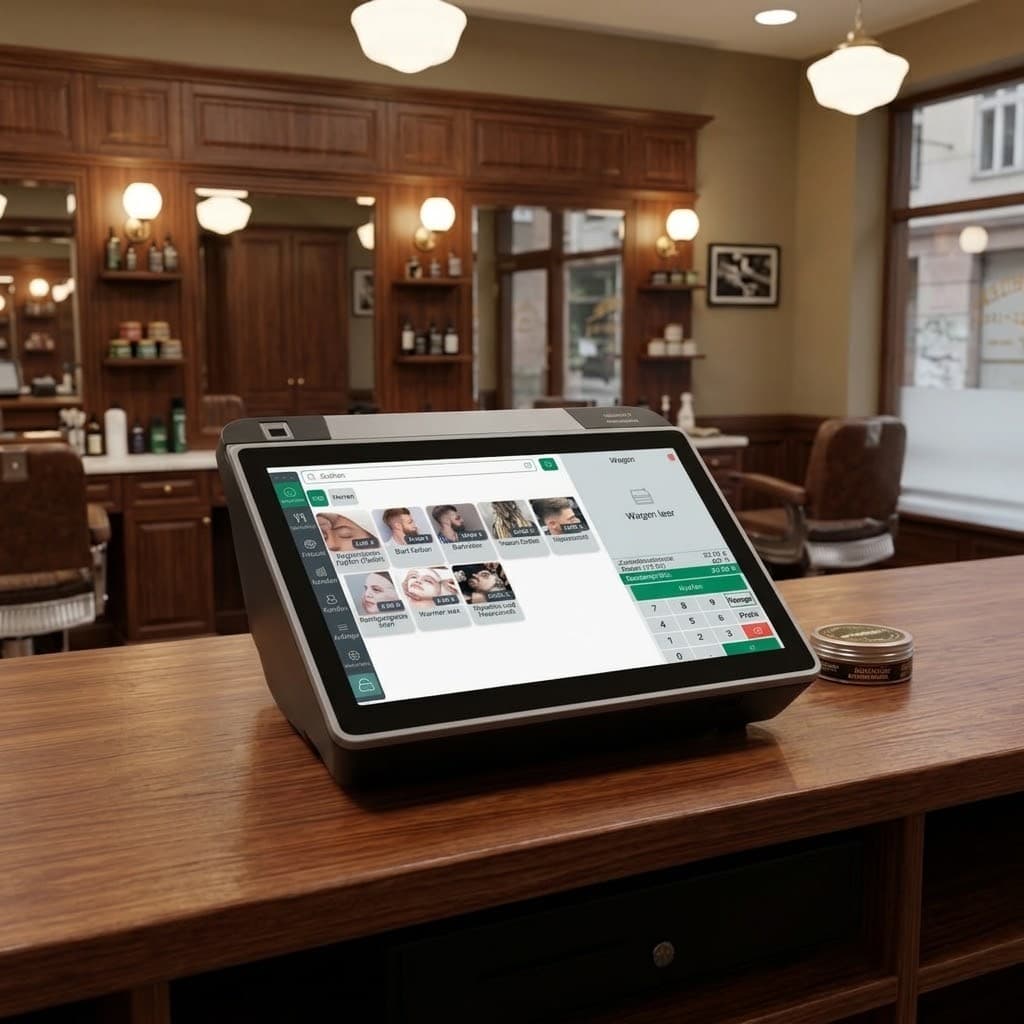
All-in-one barber POS on a wooden counter: photo service catalog, cash drawer and receipt printer
Per-chair tickets
Each seat, own bill
Photo catalog
Price on the fly
Tips report
Off the invoice
Per-chair reports
Income by seat

Per-chair billing

Each seat earns its own total

Every chair keeps a separate ticket, so income and tips land against the right barber, clear at a glance, clean at close.

T10/3
T20/3
T30/3
T40/3
T50/3
T60/3
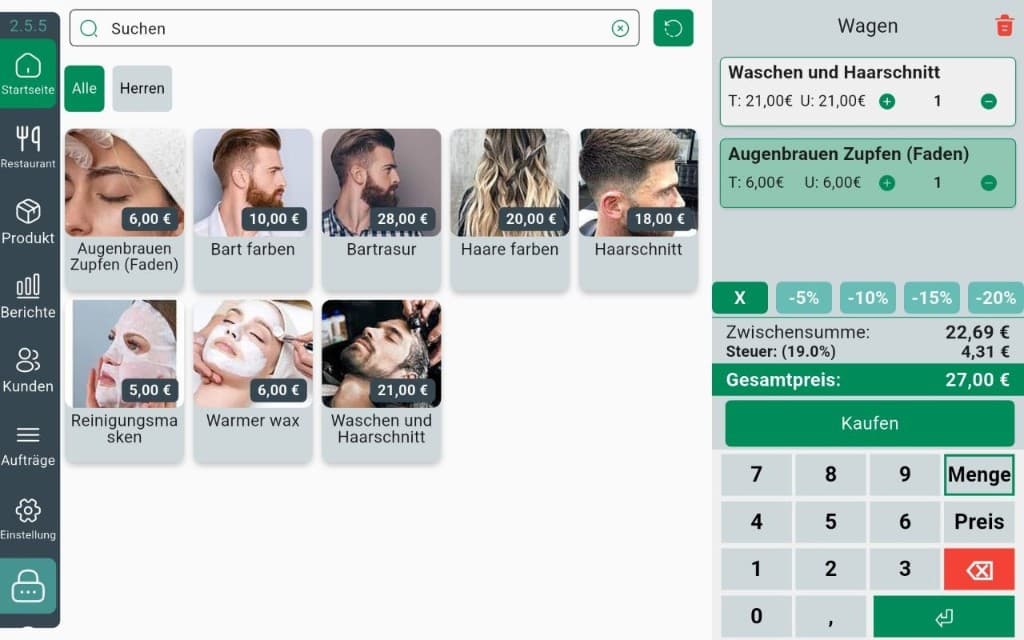
Android barber POS on the counter with a photo service catalog

InSoft POS · Android for chairs

Price-first Android POS for barbers: catalog, customer, tip, then a fiscal close

The barber demo login on the Android till is not a trimmed restaurant screen. It opens a price-first keypad, a photo service catalog with variants, a customer file, and tips that sit beside the ticket so chair income and gratuities do not collapse into one anonymous total.

Staff ring a cut, a color or a combo from pictures, attach the guest, add a tip off or on the invoice, and print on the Sunmi or a network printer. Kiosk mode locks the station to selling. EN, DE and AR with RTL keep a mixed team on one device. At close, Z-report, TSE and returns use the same fiscal core as every other InSoft Android POS, so a salon handheld is a real till, not a booking gadget with a fake total.

Explore the Android POS in full

Barber and services logins can lead with an amount keypad: the job is quoted in the room, then becomes a till line with tax, tip, customer and receipt. That is the opposite of supermarket scan-first design, which is why the keypad card lives on chair and atelier pages. The amount still hits TSE, drawer and printer; a quoted hem is not a notepad total that never became a sale.

  • Enter a quoted price without pretending the SKU was on a shelf barcode.
  • Attach the amount to a catalog service or variant so reports still know what was sold.
  • Then take tip, card or cash on the same ticket, quote and close are one document.
  • The keypad is for quoted work at the chair or counter, not a free-typing discount pad on a grocery lane.

What you get

Open each step to see it in detail

Everything the chair needs, on the device in your pocket.

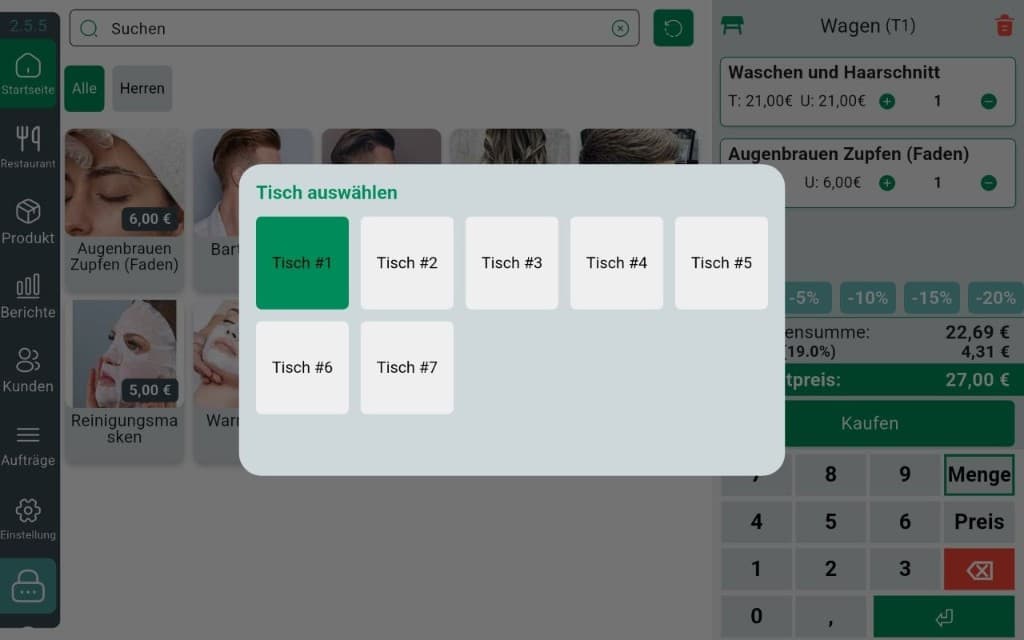
InSoft Barber Android POS: select a chair (Tisch 1–7) over the photo catalog and cart

Bill each chair separately

Open a ticket per seat; totals stay with the right barber.

  • A ticket per chair, side by side
  • Switch chairs without losing a sale
  • Income lands against the right barber
  • Close each chair independently

Bill each chair separately

Open a ticket per seat; totals stay with the right barber.

Open a ticket per seat; totals stay with the right barber.

  • A ticket per chair, side by side
  • Switch chairs without losing a sale
  • Income lands against the right barber
  • Close each chair independently

Photo service catalog

Ring cuts, shaves and extras from a picture menu.

Ring cuts, shaves and extras from a picture menu.

  • Services with photos and set prices
  • Group by cut, beard, colour, extras
  • Custom-price a one-off in seconds
  • Same catalog across your shop

Separate tips report

Tips stay off the invoice and in their own report.

Tips stay off the invoice and in their own report.

  • Add a tip to any chair
  • Kept off the sale total (Trinkgeld)
  • Own report, per barber
  • Clean at daily close

Per-chair & daily reports

See who earned what, by chair and by day.

See who earned what, by chair and by day.

  • Income by chair and by barber
  • Daily and monthly views
  • Cash in/out and expenses
  • Feeds the Reports app
One connected system

Chair-by-chair sales in one connected shop

Reception till, tips and service catalog share data with reports and payment hardware.

This product
InSoft Coreone database
Everything else
One database
One login
Real-time sync across every module
See the full ecosystem